Phone:
(701)814-6992
Physical address:
6296 Donnelly Plaza
Ratkeville, Bahamas.
Phone:
(701)814-6992
Physical address:
6296 Donnelly Plaza
Ratkeville, Bahamas.

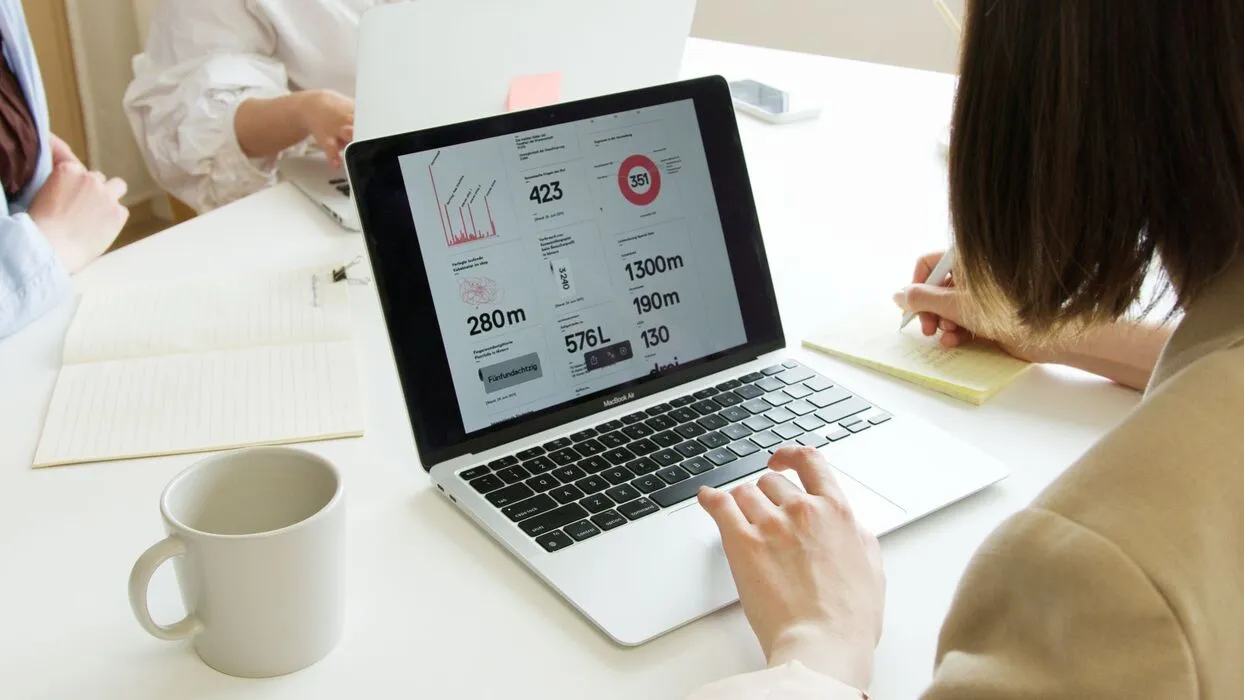
Multi-branch operations dashboard software helps service businesses connect branch data, task visibility and management follow-up without waiting for end-of-week reports.
SEO title: Multi-Branch Operations Dashboard Software for Service Businesses: How Growing Teams Keep Performance Visible Every Day
Meta description: Discover how multi-branch operations dashboard software helps service businesses spot delays, compare branches and act faster with clearer daily visibility.
Focus keywords: multi-branch operations dashboard software, service business dashboard, branch performance visibility, operations control software
Excerpt: Multi-branch operations dashboard software helps service businesses connect branch data, task visibility and management follow-up without waiting for end-of-week reports.
Service businesses with multiple branches usually collect plenty of data. The harder problem is turning that data into daily control. One branch is behind on tasks, another is missing follow-up on open issues, and a third looks busy but is not hitting service targets. Managers often discover those patterns too late because the information arrives in separate sheets, chats, or end-of-week updates.
Multi-branch operations dashboard software helps leadership teams see branch performance in one place, with enough context to act quickly. The aim is not a flashy wallboard. It is practical visibility into what is happening across locations so supervisors can spot delays, compare performance, and intervene before issues spread.
As soon as a company adds more locations, reporting habits start to diverge. One branch manager sends updates by email. Another uses a spreadsheet. A third only reports when something goes wrong. Head office ends up with inconsistent information and no reliable daily picture.
This is why many businesses still feel blind despite having more software than they used a year ago. The systems do not connect clearly enough to show task status, inspection outcomes, branch workload, and unresolved issues in a way leadership can trust.
Kensakan’s broader operations platform is useful here because dashboards become more valuable when they sit on top of structured workflows rather than manual reporting. Good visibility starts with consistent data capture.
The most useful dashboards focus on action, not vanity metrics. Leaders should be able to see open issues, overdue tasks, pending approvals, branch inspection results, workload distribution, and service bottlenecks. Those signals help teams decide where attention is needed now.
Branch comparisons also matter. If one location consistently clears work faster or closes more issues on time, managers should be able to examine why. If another branch misses deadlines repeatedly, the system should make that obvious without forcing someone to build a report manually.
This is especially important for service businesses where branch performance depends on people, timing, and follow-up discipline. Without shared visibility, head office reacts too slowly and branch managers work with incomplete context.

A dashboard should not be the end of the workflow. It should point managers toward action. If a branch has recurring delays, the team should be able to drill into the tasks, owners, or unresolved issues behind the metric. If approvals are backing up, supervisors should see exactly where the queue is stuck.
That is what separates operational control from passive reporting. A strong dashboard is connected to tasks, forms, escalations, and updates that help the business respond. It supports the same discipline found in service report approval workflows and other structured operations processes.
Multi-branch dashboards are especially useful for facilities providers, maintenance businesses, field service teams, retail support operators, and other organisations where branch-level execution changes daily. Leaders need to know which teams are keeping up, which branches need intervention, and where operational risk is building.
The payoff is faster management response and better consistency. Instead of waiting for branch updates to be compiled, decision-makers can work from a live operational picture and follow up earlier.

Kensakan helps businesses build dashboards on top of real workflows, inspections, approvals, and task updates. That means the dashboard is not just a reporting layer. It reflects the state of work across branches and helps management act on what they see.
For service businesses that are scaling, that kind of visibility can remove a lot of daily uncertainty. If your branches still report through disconnected files and chats, a dashboard project only works if the underlying workflow is also structured properly.
To explore that approach, review Kensakan use cases or speak with Kensakan about building a dashboard around the operational signals your managers actually need.