Phone:
(701)814-6992
Physical address:
6296 Donnelly Plaza
Ratkeville, Bahamas.
Phone:
(701)814-6992
Physical address:
6296 Donnelly Plaza
Ratkeville, Bahamas.

Preventive maintenance workflow software helps GCC service teams control recurring work, capture field evidence and act on defects before failures become expensive.
Many GCC service teams are busy because they are reacting to failures that should have been prevented. An air-conditioning unit breaks during a high-demand period. A vehicle misses a delivery because a routine check was delayed. A facility asset reaches a repair stage because nobody can prove that its planned maintenance was completed.
Preventive maintenance workflow software for GCC service teams helps turn recurring maintenance from a calendar reminder into an accountable operating process. It connects the asset, the planned task, the technician, the evidence, the review and the next due date in one record.
A spreadsheet can list equipment and dates, but it rarely manages the work around them. Managers may not know whether a task was assigned, whether the technician attended, whether a defect was found or whether a follow-up repair was approved.
The problem becomes more serious across several sites. Each location may use a different template. A supervisor may keep updates in WhatsApp. The office may only receive a summary at the end of the month. By then, missed tasks and repeat failures are difficult to trace.
A workflow gives the schedule an operating rhythm. It creates a task, assigns an owner, sends reminders, records completion and escalates overdue work. That makes preventive maintenance measurable rather than assumed.
Start with an asset register. Each asset should have a clear name, location, category, service history and risk level. A critical pump, vehicle or refrigeration unit should not follow the same schedule as a low-risk item.
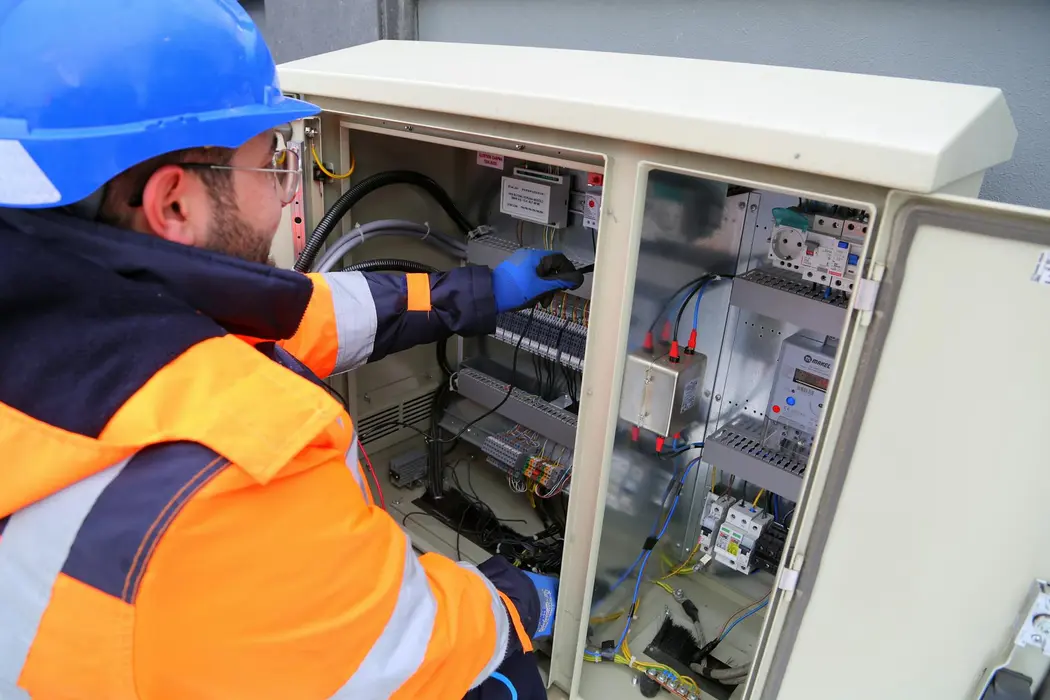
Define the recurring task in plain language. Include the checks, readings, safety steps, parts or documents required, and the evidence expected. Mobile forms help technicians work from the same checklist at every site while still allowing photos, notes and exception details.
Use risk-based frequency. Some tasks may be daily, weekly or monthly. Others may depend on operating hours, mileage or a manufacturer recommendation. The system should create the next due task automatically after completion, while preserving the history of missed or altered schedules.
Preventive maintenance is valuable because it finds problems early. A workflow should not allow a technician to mark a task complete while burying a serious defect in a free-text note.
Use required fields and conditional actions. If a reading falls outside the accepted range, ask for a photo, create a corrective task and notify the right supervisor. If a vehicle fails a safety check, route it for review before it returns to service.
Escalations should follow the risk of the issue. A minor observation may become a normal follow-up task. A safety or compliance concern may require immediate acknowledgement and management approval. This protects the team without creating unnecessary noise.
A maintenance dashboard should answer practical questions. Which sites have the most overdue tasks? Which assets generate repeat failures? Which technicians need support? How long do corrective actions remain open? Are teams completing checklists properly, or simply closing them to clear a queue?
Track completion rate, overdue age, repeat defects, first-time completion and corrective-action closure. Compare sites carefully and consider asset mix before judging a team. The goal is to find risk and improve the process, not to create a misleading league table.
Good records also improve procurement and budgeting. When the history shows which assets consume the most labour or parts, leaders can plan replacement or contract decisions with better evidence.
Look for mobile access, recurring task creation, role-based assignment, offline-friendly forms where needed, photo evidence, escalation rules and an audit trail. Integrations with employee, project, CRM or ERP records can reduce duplicate data entry.
The platform should be simple enough for a technician to use at the asset and detailed enough for a manager to review trends across sites. Avoid buying a complex system that staff bypass because it takes longer than the work itself.
Kensakan can help service and facilities teams standardise planned maintenance, route exceptions and keep management visibility current. Start with one asset group or location, prove that overdue work falls, then expand the workflow across the operation.
Do not measure success only by the number of digital checklists completed. Measure whether failures are found earlier, whether repeat defects fall and whether supervisors can prove the work was done. Those outcomes connect maintenance activity to uptime, customer service and operating cost, which is what makes the business case easier to defend.